 KUMAKIKAI
Uni:Note
iPad
Your lecture notes.Now on iPad.
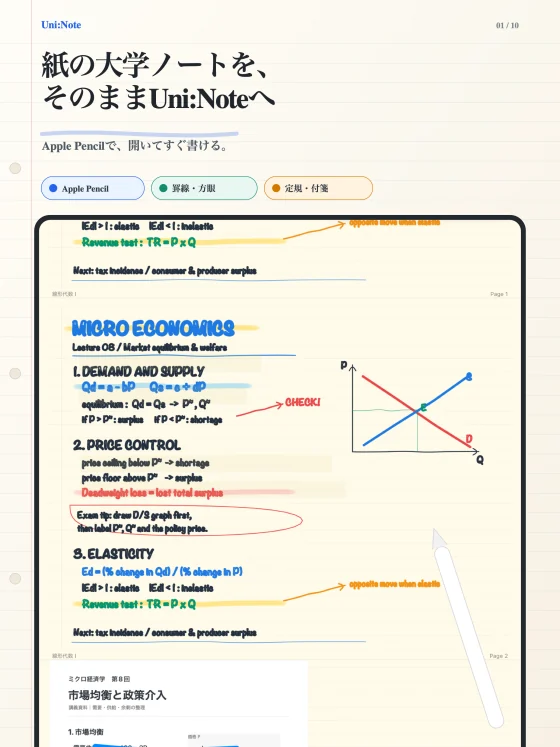
Write with Apple Pencil. Annotate PDFs. Organize notes by subject and folder, then use AI to create practice questions or ask about a problem you circle. From taking notes in class to reviewing them later.

Screenshots show the Japanese version.
Turn lecture notes into revision.
Uni:Note is a handwriting app for taking university lecture notes on iPad. Write with Apple Pencil, annotate handouts in PDF format, and organize your notes by subject and folder so you can find them again.
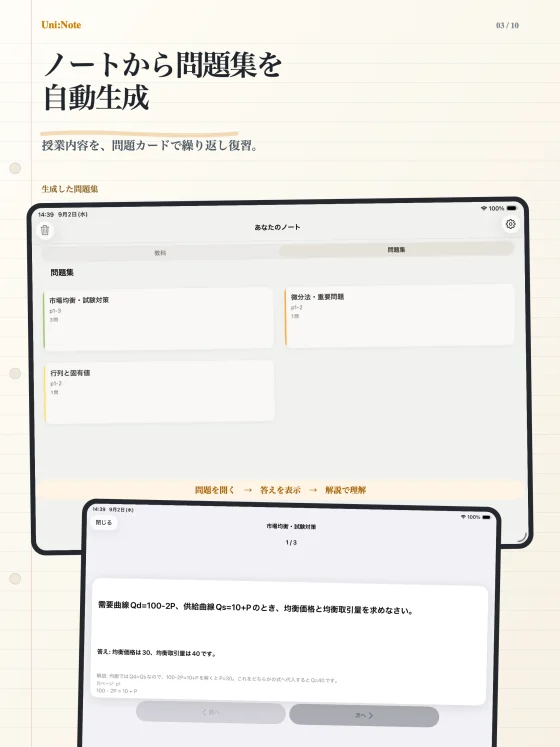
After class, ask AI about a selected problem or create a practice set from your notes. Keeping note-taking and revision together helps you return to what you wrote and test your understanding.
Key features
Handwritten notes
Use Apple Pencil for words, diagrams, lecture notes and your own ideas.
PDF annotation
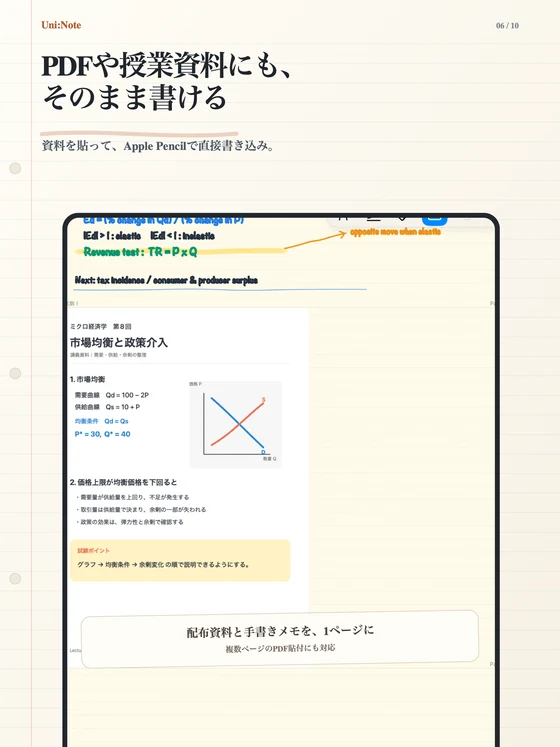
Import lecture PDFs and write directly on them. Add images and captured documents to your notes.
Subjects and folders
Group notes by class, organize them in folders and search by note title.
Ask AI about a selection
Select a problem in your notes to request an answer and explanation.
Practice sets from notes
Use AI to turn your study material into questions, then review their answers and explanations.
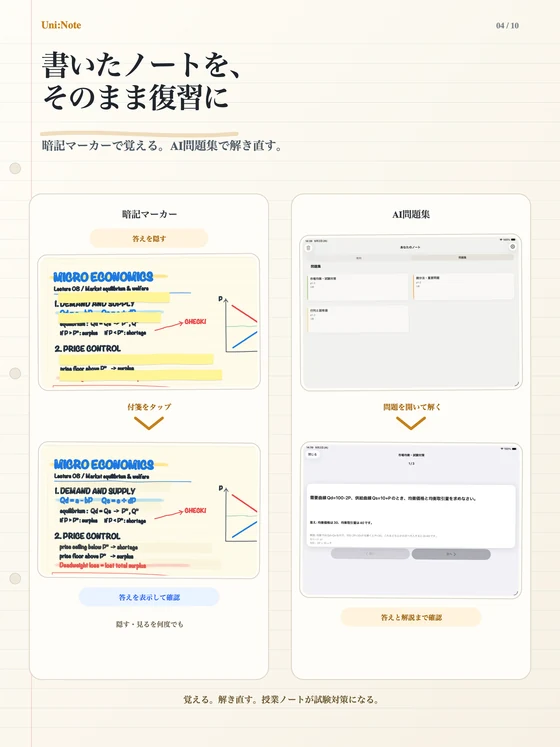
Sticky markers for recall
Cover what you want to memorize and tap to reveal or hide it while reviewing.
Make the handout part of your notes.
Import a PDF and write next to the text or diagram you are studying. Keep what you heard in class and your own observations beside the original material.
From writing it down to working it out.
Create a practice set from your notes. Work through the questions and check the answers and explanations to revisit the material actively.
Cover it. Recall it. Check it.
Enable sticky markers to hide important parts of a note. Tap to reveal or cover them again as you check whether you remember a term or answer.
Who it is for
Taking university notes on iPad
Keep lecture notes, handouts and your own annotations organized by subject.
Moving from paper
Keep handwriting while carrying your notes and materials together.
Preparing for exams
Revisit what you wrote using practice sets and sticky markers.
Compatibility and essentials
- Devices
- iPad
- Operating system
- iPadOS 17.0 or later
- Availability
- Available · App Store
- Handwriting uses Apple Pencil.
- AI questions and practice set generation require an internet connection and available AI Balance.
- Check AI responses against your study material.
See the App Store for pricing and in-app purchase details.
Find Uni:Note on the App Store
Check compatibility and the latest app information.
Support
Guides and support
Find guides and answers to common questions. For further help, include the app name, your device, and what happened in your message.