 KUMAKIKAI
OtoMiru
iPhone / iPad
Hard to hear?See it in large captions.
From television to everyday conversations, see spoken words in large text on your iPhone or iPad when listening is difficult.

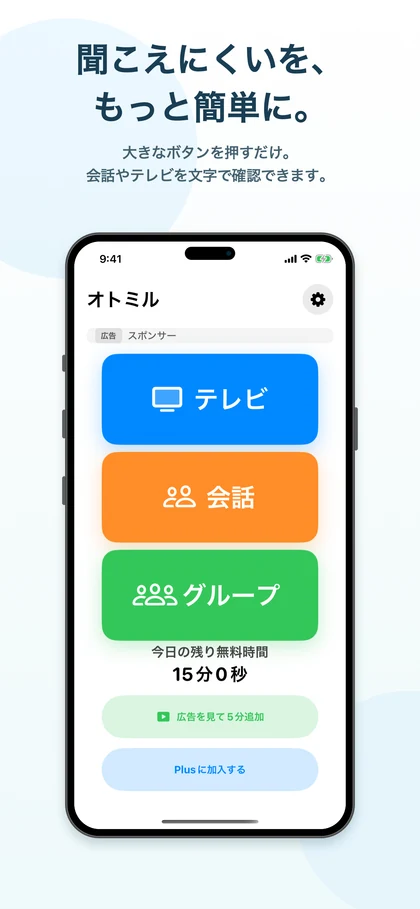
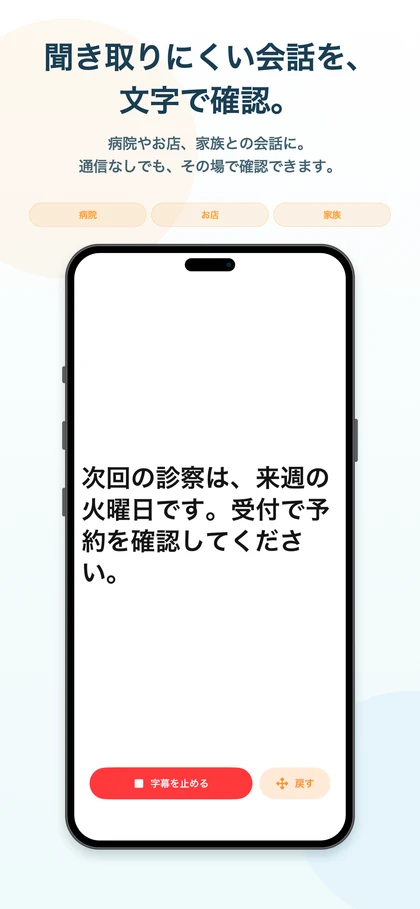
Screenshots show the Japanese version.
Captions for the moment you need them.
OtoMiru turns television audio and nearby conversations into captions using the microphone on your iPhone or iPad. Read words on screen when they are difficult to hear.
Choose simple mode with large buttons, or standard mode with controls for different situations. The display can suit the person using it and the conversation at hand.
Key features
Start with the situation
Choose television, conversation or group mode to start captions for what you want to hear.
Large text and direct controls
The “高齢者向け” (for older users) setting presents large television, conversation and group buttons with fewer settings to navigate.
A display you can share
In conversation and group modes, change the display orientation so someone across the device can read the captions too.
Start from a large button
The simple-mode home screen provides direct buttons for television, conversations and groups, making the starting steps easy to see.
Read the words on screen
A medical appointment conversation illustrates the large captions and stop button: a screen for reading words as the conversation happens.
Useful situations
When television speech is hard to hear
Place your iPhone or iPad near the television or speaker to follow its audio in captions.
At shops and service counters
Read the other person’s words during an order, reception visit or other face-to-face exchange.
With people close to you
Use captions as an aid in one-to-one conversations with family or friends, or in a small group.
Compatibility and essentials
- Devices
- iPhone / iPad
- Operating system
- iOS 26.0 or later / iPadOS 26.0 or later
- Availability
- Available · App Store
- Japanese speech and captions are supported. A compatible device and microphone permission are required.
- Recognition varies with background sound and distance. Point the device’s microphone toward the sound source.
See the App Store for pricing and in-app purchase details.
Find OtoMiru on the App Store
Check compatibility and the latest app information.
Support
Guides and support
Find guides and answers to common questions. For further help, include the app name, your device, and what happened in your message.